> ## Documentation Index
> Fetch the complete documentation index at: https://docs.rdp.sh/docs/llms.txt
> Use this file to discover all available pages before exploring further.
# Windows Shutting Down
If your Windows server is shutting down unexpectedly, it could be due to the License being expired. This will result in Windows shutting down every 30 minutes.
To resolve this issue, follow the following steps:
1. Connect to your server via RDP.
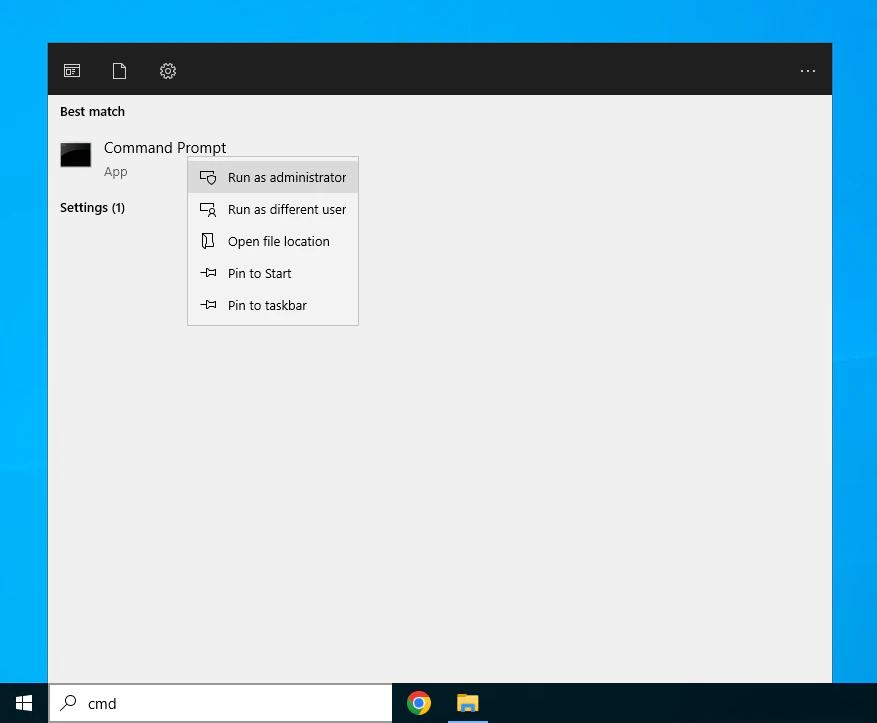
2. Open the command prompt as an administrator.
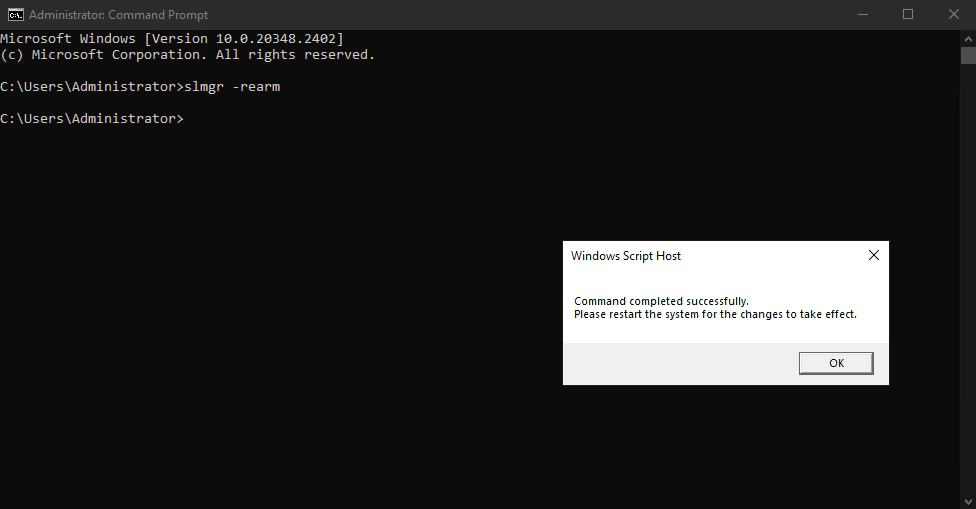
 3. Run the following command to rearm the license:
```
slmgr /rearm
```
3. Run the following command to rearm the license:
```
slmgr /rearm
```
 4. Restart your server.
The issue should now be resolved. If you continue to experience problems, please contact our support team for further assistance.
4. Restart your server.
The issue should now be resolved. If you continue to experience problems, please contact our support team for further assistance.